 Accountant
User manual
Accountant
User manual
Reports
Net worth, Profit & loss, Budget and Cash flow, and how to print or export them.
What you'll learn: what each report shows, how to change its dates, and how to print or export it.
Open Reports (on phones, More › Reports). There are four tabs.
| Tab | Shows | Accountants call it |
|---|---|---|
| Net worth | Your assets and liabilities on a date, and the difference | Balance sheet / statement of financial position |
| Profit & loss | Income and expenses over a period, and your net income | Income statement |
| Budget | Each budgeted account against its budget or income target | Budget vs actual |
| Cash flow | Cash received and paid, grouped by where it came from or went | Cash flow statement (direct method) |
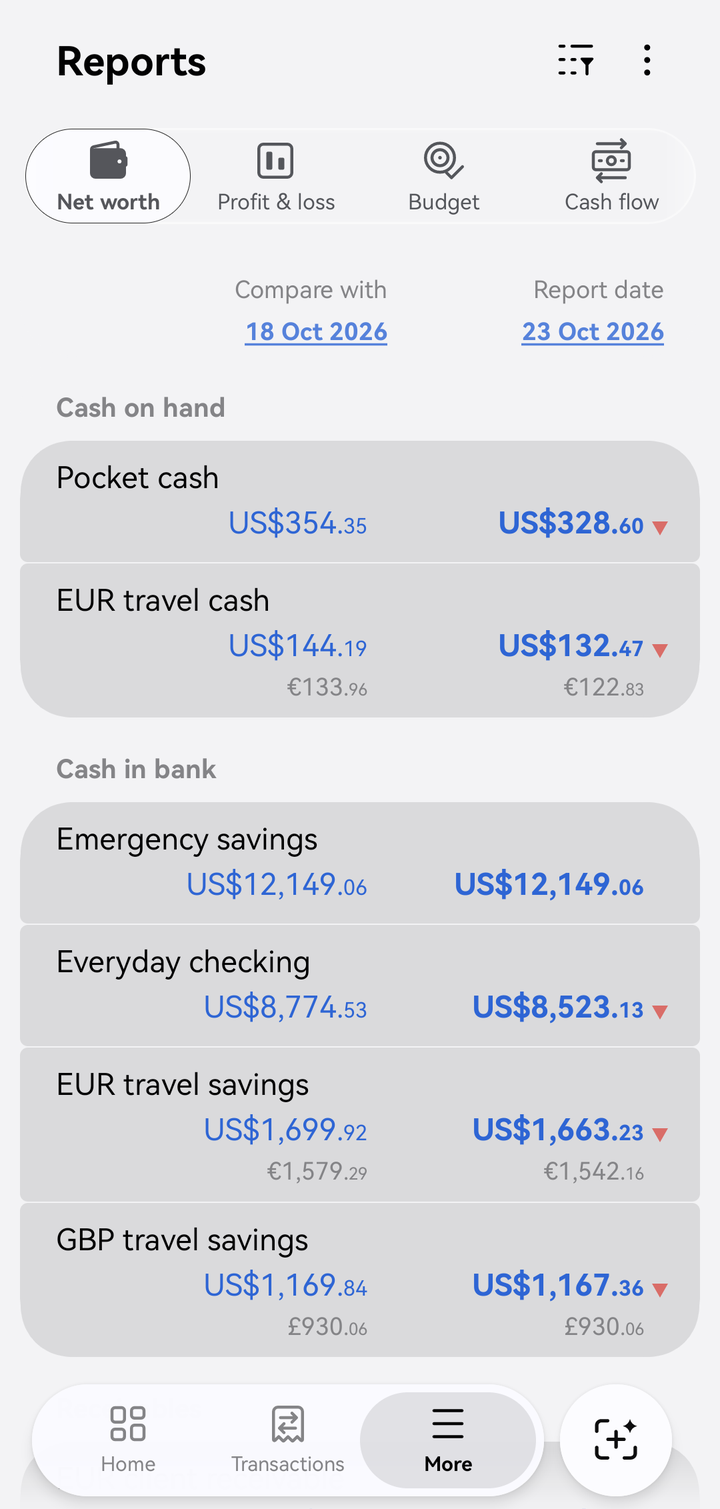
Net worth, comparing two dates
Two columns, two periods
Every report compares two columns: Compare with on the left and Report date (for Net worth) or Report period (for the others) on the right. An arrow marks whether a figure went up ▲ or down ▼.
- Net worth compares two dates, for example Today vs end of last month.
- Profit & loss, Budget and Cash flow compare two periods, for example This month so far vs all of last month.
Change the dates
- Tap the underlined date or period at the top.
- Pick a preset, such as This quarter so far vs all of last quarter or This year so far vs all of last year, or choose Custom date range (Custom report dates for Net worth) to set your own.
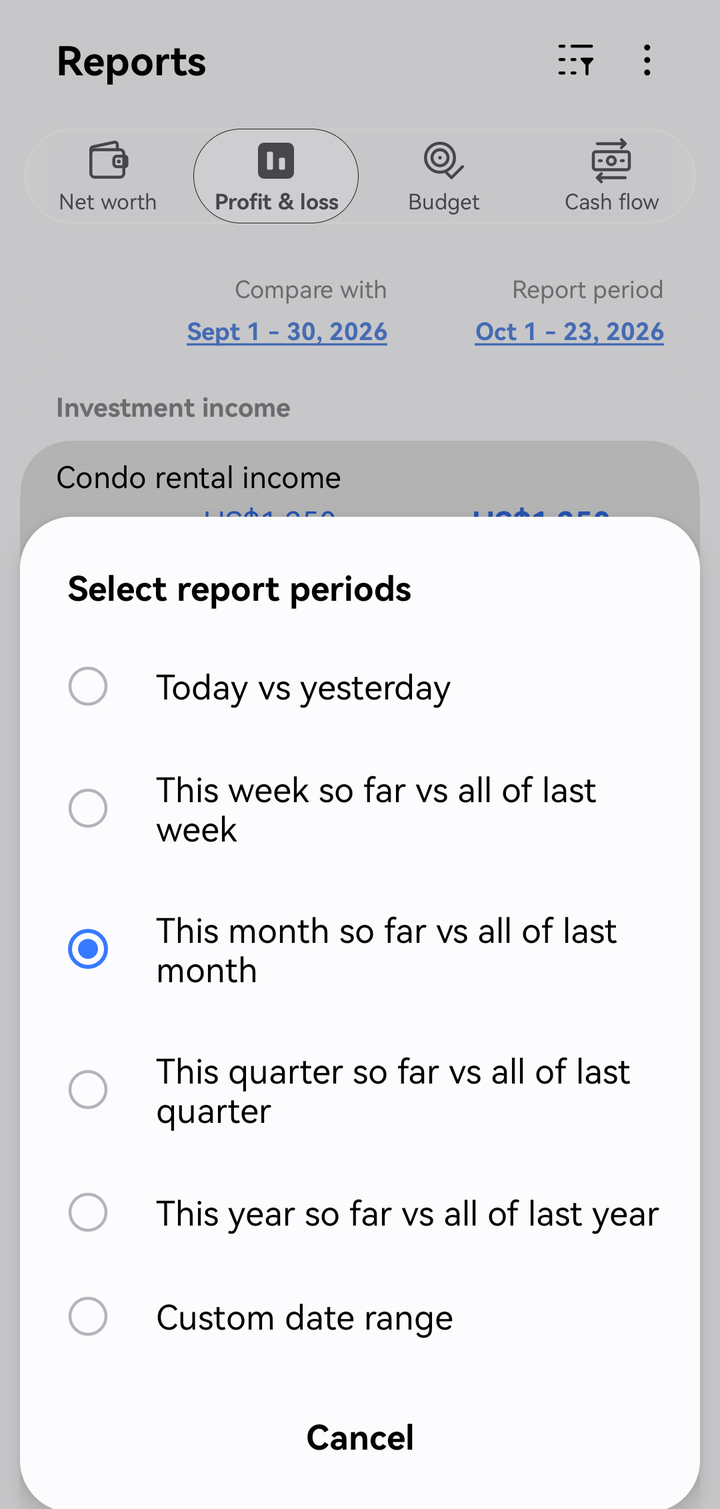
Choosing report periods
Filter and sort
Tap the filter button in the toolbar to:
- Show accounts with zero balance, or hide them
- Sort by amount or account name
- on the Budget tab, Show accounts without budgets or targets
By label
In Profit & loss, tap ⋮ › By label and choose a label to see the income and expenses of the transactions with that label: In, Out and Net. Transfers and other entries without income or expenses don't count.
Category headings in reports show each category's subtotal.
Drill down
Tap an account in a report to see the transactions behind it. In Cash flow, tap a line to see the cash breakdown for that account.
Print or export
- Open the report and set the dates you want.
- Tap ⋮ › Print or export.
- Choose Print, Save as PDF, Save as CSV, Share PDF or Share CSV.
Statement of account
For a single account, open it from Accounts, tap the list button (☰) to see its transactions, then tap ⋮ › Print or export statement. The statement lists every transaction with its debit, credit and running balance.
Notes on the numbers
- All amounts are in your reporting currency. Foreign balances are converted with the rate for each date. A value shows as — when a rate is missing. See Multi-currency.
- Profit & loss shows Foreign exchange gain (loss) separately, after Net income before exchange gain (loss).
- Cash flow includes only accounts marked as Cash account.
- Drafts and scheduled transactions aren't included until they're posted.